
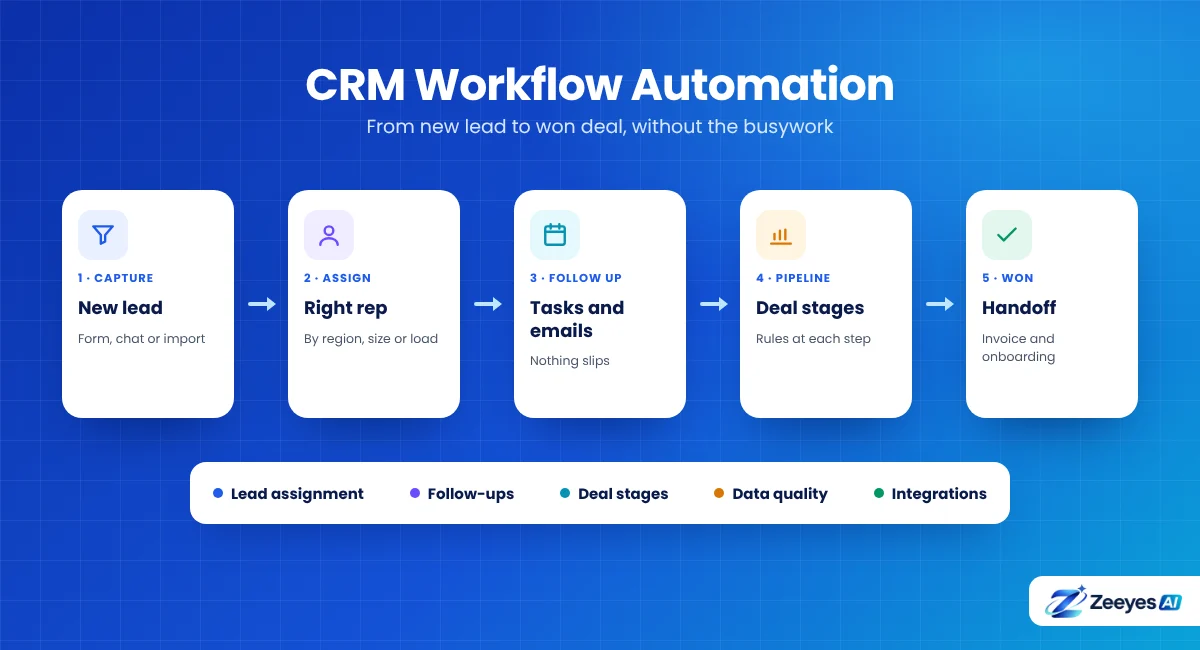
Short answer: CRM workflow automation uses rules in your CRM to handle routine sales work on its own: assigning new leads, creating follow-up tasks, sending timely emails, updating deals as they move through the pipeline and keeping records clean. The best examples save reps time on admin while making sure no lead or deal is forgotten.
Key takeaways
- Automate the moments where leads get lost: assignment, first contact and follow-up.
- Use deal stage rules to make sure key information is captured, not to add paperwork.
- Built-in rules handle work inside the CRM; connecting other systems usually needs more.
- Every automation needs an owner and a reason, or the CRM becomes hard to trust.
What is CRM workflow automation?
A CRM holds your leads, contacts, companies and deals. Workflow automation adds the “when this happens, do that” logic on top. When a lead fills in a form, the CRM can assign it, notify the rep and create a call task. When a deal reaches the proposal stage, it can check that the value and close date are filled in. When a deal is won, it can tell finance and start onboarding.
Most CRMs, including Zoho CRM, HubSpot, Salesforce and Pipedrive, offer workflow rules with triggers, conditions and actions. The examples below work in any of them, though the setting names differ.
12 CRM workflow automation examples
Getting leads to the right person, fast
1. Assign new leads automatically
Send each new lead to the right rep based on region, industry, company size or product interest. Use round robin when reps share the same territory.
Rule: When a lead is created, assign by country; if no match, assign to the sales manager.
2. Alert the rep immediately
A lead that waits a day often goes cold. Notify the rep by email, mobile push or team chat the moment a lead is assigned.
Rule: When a lead is assigned, send the owner a notification with the lead’s name, source and message.
3. Reassign leads nobody has touched
If a lead is still uncontacted after a set time, it should move to someone who can call.
Rule: If lead status is still New after 24 working hours, reassign and notify the manager.
Making sure follow-ups happen
4. Create a follow-up task after every call or meeting
Reps rarely forget the call; they forget the follow-up.
Rule: When a call is logged with outcome Interested, create a task due in 2 days.
5. Send a timely, personal follow-up email
A short, helpful email after a demo or enquiry keeps the conversation going. Write it in the rep’s voice and send it from their address.
Rule: When a demo meeting is marked complete, send the follow-up template with the recording link.
6. Re-engage quiet leads
Leads that go silent are not always lost. A gentle check-in at the right time can bring them back.
Rule: If no activity for 30 days and stage is Nurture, add to a re-engagement email sequence.
Keeping the pipeline accurate
7. Require key fields before a stage change
Forecasts are only as good as the data behind them.
Rule: Block moving to Proposal unless deal value, close date and decision maker are filled in.
8. Alert managers about large or stalled deals
Managers can help most when they hear about problems early.
Rule: Notify the manager when a deal over a set value is created, or when any deal has not moved stage in 21 days.
9. Update the close date when deals slip
Old close dates make the forecast look better than it is.
Rule: If the close date passes and the deal is still open, create a task for the owner to update it.
After the deal and behind the scenes
10. Hand off won deals to finance and onboarding
A won deal is the start of the customer relationship, not the end.
Rule: When a deal is Closed Won, create the invoice in accounting and an onboarding task for the account manager.
11. Catch duplicate contacts and companies
Duplicates split history across records and confuse everyone.
Rule: When a contact is created, check email and phone; if a match exists, flag it for merging instead of creating a new one.
12. Sync contacts with your email marketing tool
Marketing and sales should see the same list, with the same opt-outs.
Rule: When a contact is created or unsubscribes, update the matching contact in the email platform.
Examples 10 and 12 reach beyond the CRM. For the finance side, see our guide to CRM accounting integration. If you use Zoho CRM, Xapplets offers ready-made extensions for Mailchimp, Constant Contact, Xero, QuickBooks and more.
Where to start
Trying to automate everything at once leads to rules that clash. A better order:
- Lead assignment and alerts. This is where most revenue leaks, and it is quick to set up.
- Follow-up tasks. Simple rules that make sure every conversation has a next step.
- Required fields on key stages. Better data for forecasts without extra work for reps.
- Won deal handoff. Connect sales to finance and onboarding.
- Data quality and integrations. Once the basics run well, clean up and connect.
Before building each rule, ask your reps what slows them down. The automations they ask for are the ones they will actually use.
When built-in workflow rules are not enough
Built-in CRM workflow rules are strong for actions inside the CRM. They start to struggle when:
- the workflow needs data from, or sends data to, another system such as accounting, e-commerce, support or an ERP
- conditions depend on several related records, such as all open deals for a company
- you process large imports or many records at once and hit limits on how many actions can run
- a failed step needs to be retried or logged so someone can fix it
- the approval process has several levels or depends on values from outside the CRM
At that point, teams usually add custom functions inside the CRM (Deluge in Zoho CRM, for example), a ready-made integration, or a custom workflow built on the CRM’s API. We explain how API-based workflows handle errors and retries in our guide to API workflow automation, and you can see one such build in our Zoho CRM to Xero purchase order case study.
Keep your automations under control
A CRM with dozens of unexplained rules is hard to trust. A few habits keep it healthy:
- Name rules clearly, for example “Leads – assign by country – UK”, not “Rule 14”.
- Write down the purpose and owner of every rule in its description.
- Test in a sandbox or with test records before switching a rule on.
- Check for overlaps, such as two rules that both assign leads or both send emails.
- Review every quarter and remove rules nobody needs anymore.
Mistakes that make reps distrust the CRM
- Too many notifications. If every change sends an alert, reps start ignoring all of them.
- Robotic emails. Automated emails that read like templates hurt replies and your sender reputation. Keep them short, personal and relevant.
- Forcing fields too early. Asking for budget and decision maker on day one leads to made-up data. Ask at the stage where reps actually know.
- Silent failures. If an automation stops working, someone should find out the same day, not at the end of the quarter.
- Ignoring email rules. Automated sales emails must still follow the law. In the US, the FTC’s CAN-SPAM guide covers opt-outs, sender details and honest subject lines.
How to tell if it is working
- Lead response time: from lead created to first contact.
- Uncontacted leads: how many are still New after a day.
- Overdue tasks per rep: a sign of too many automated tasks or too few reps.
- Stage-to-stage conversion: where deals stall in your pipeline.
- Forecast accuracy: forecast vs actual at the end of each month.
- Rep feedback: ask them. If they find a rule annoying, it probably needs changing.
Our sales and CRM automation work starts from these numbers, so every rule we add has a clear job to do.
Frequently asked questions
What is CRM workflow automation?
CRM workflow automation uses rules inside your CRM to carry out routine sales tasks on their own, such as assigning new leads, creating follow-up tasks, sending emails, updating fields when a deal moves stage and alerting managers. Reps spend less time on admin and more time talking to customers.
What are examples of CRM automation?
Common examples include assigning leads by region or round robin, creating a follow-up task when a lead is not contacted within a set time, sending a welcome email to new contacts, requiring key fields before a deal can move stage, alerting a manager about large deals and flagging duplicate contacts.
How do I automate lead assignment in a CRM?
Decide the rule first: by region, industry, company size, product interest or round robin among available reps. Set it up as an assignment rule in your CRM, add a fallback owner for leads that match nothing, and alert the rep the moment a lead is assigned. Review the rule whenever the team changes.
How many automations should a CRM have?
As many as you can clearly explain and maintain. Each automation should have an owner, a written purpose and a test. If nobody can say why a rule exists or what it does, it is time to review and remove it.
When do built-in CRM workflow rules fall short?
Built-in rules work well for actions inside the CRM. They fall short when you need to connect other systems such as accounting or e-commerce, apply complex conditions across related records, process large volumes or handle errors and retries. That is when custom functions or integrations are needed.
Can automated sales emails go to spam or break rules?
They can if they are sent too often, to people who did not expect them or without a way to opt out. Personalise them, keep the volume reasonable, include your business address and an unsubscribe link, and follow the email laws that apply to your customers, such as CAN-SPAM in the US.
Final thoughts
Good CRM workflow automation does not replace the sales conversation. It removes the small tasks that get in the way of it: finding the right rep, remembering the follow-up, filling in the same field twice. Start where leads are most likely to slip, keep every rule simple and explainable, and let your reps tell you what to automate next.